How does the AI daily planner work?
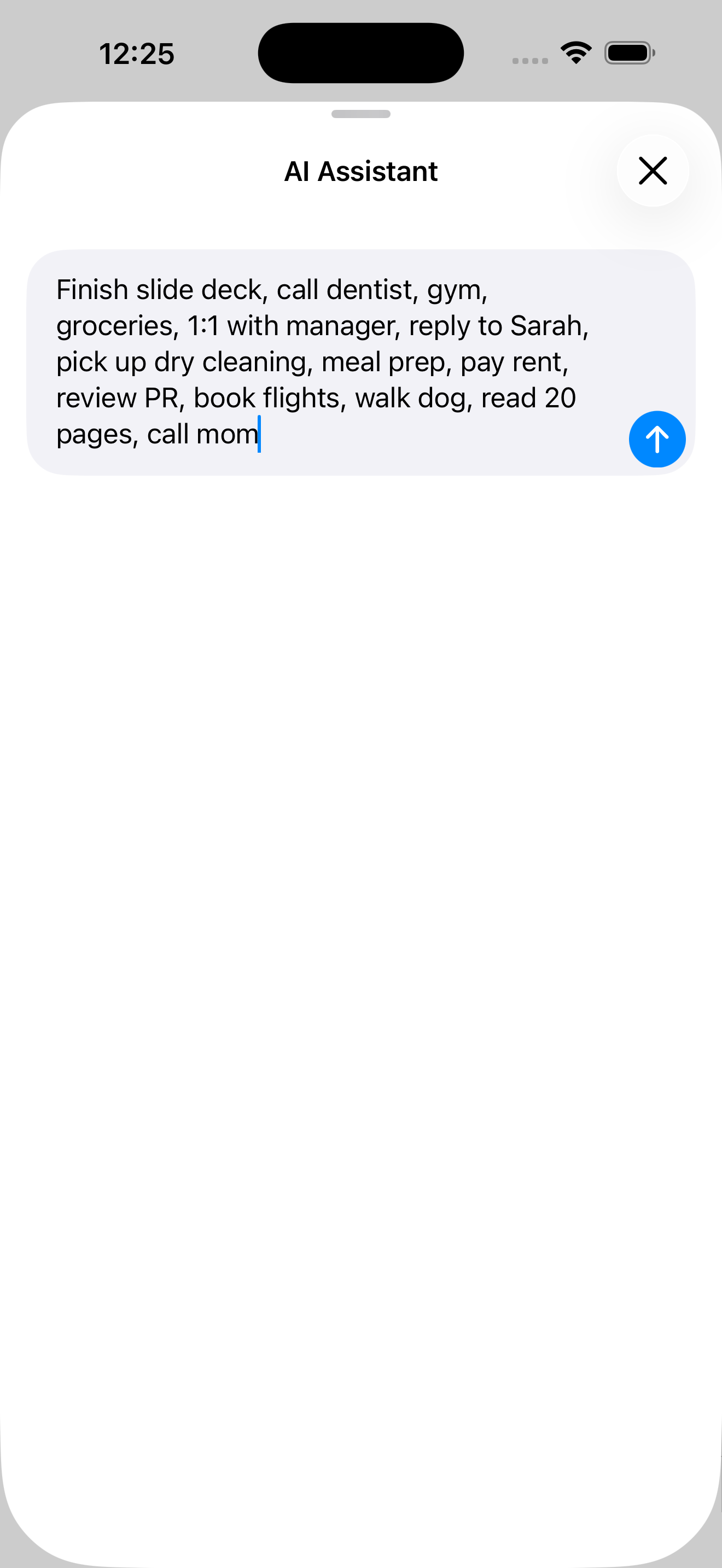
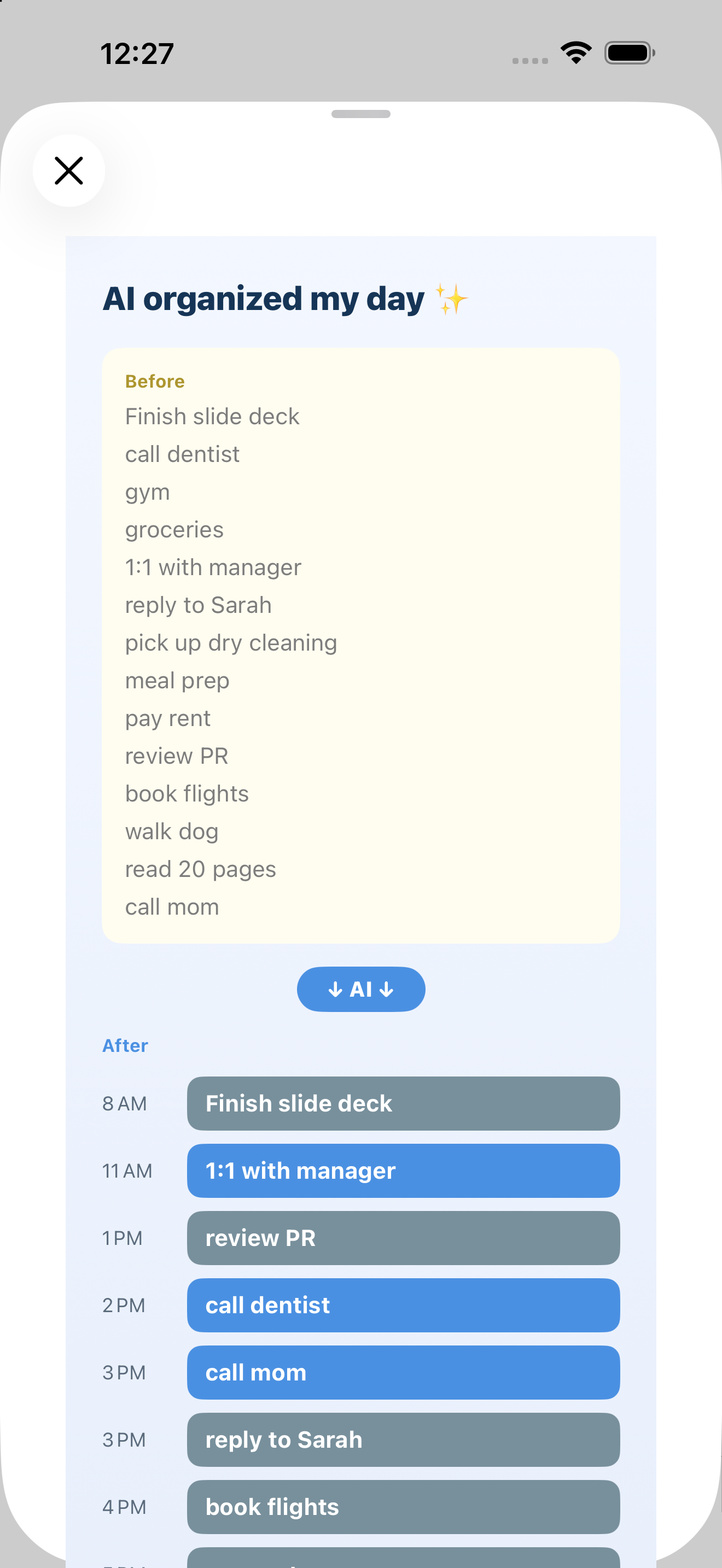
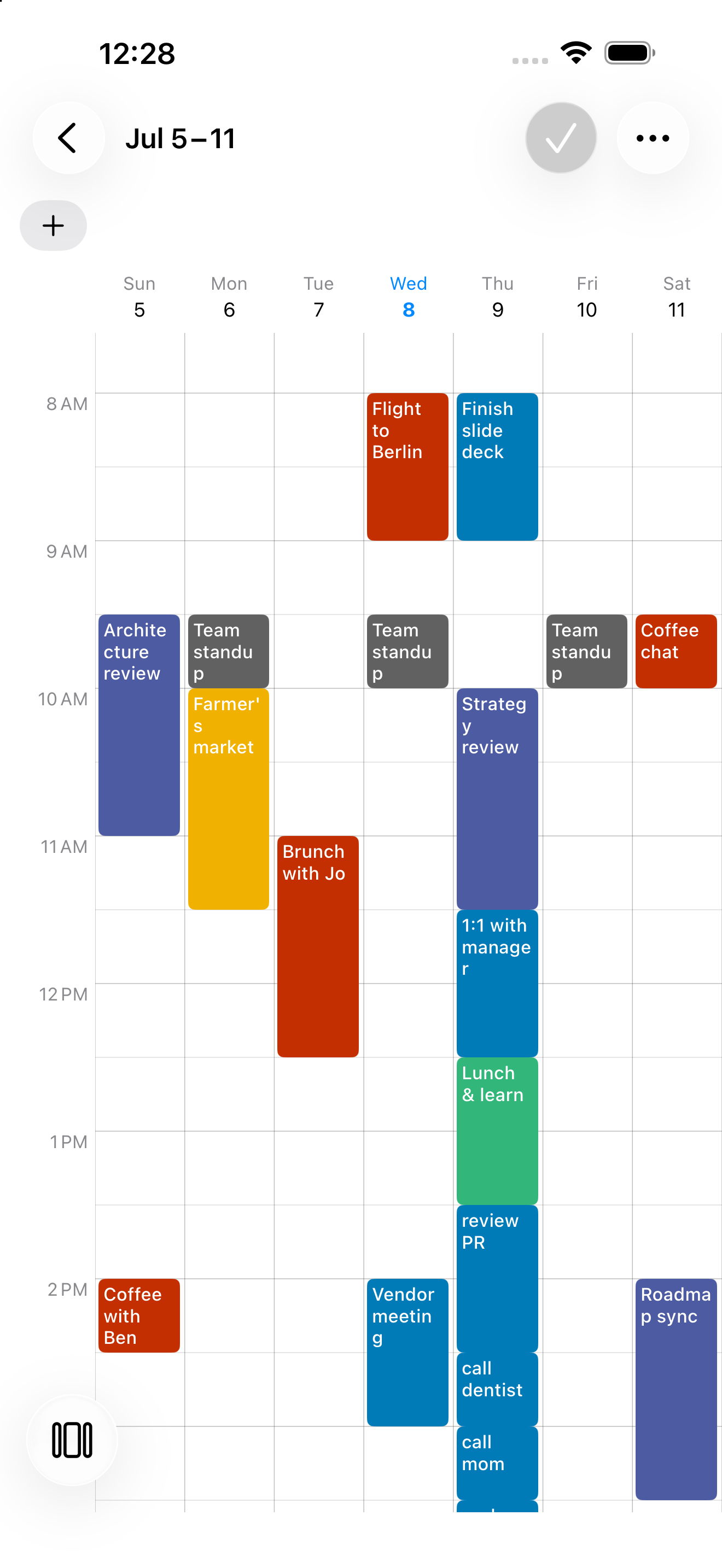
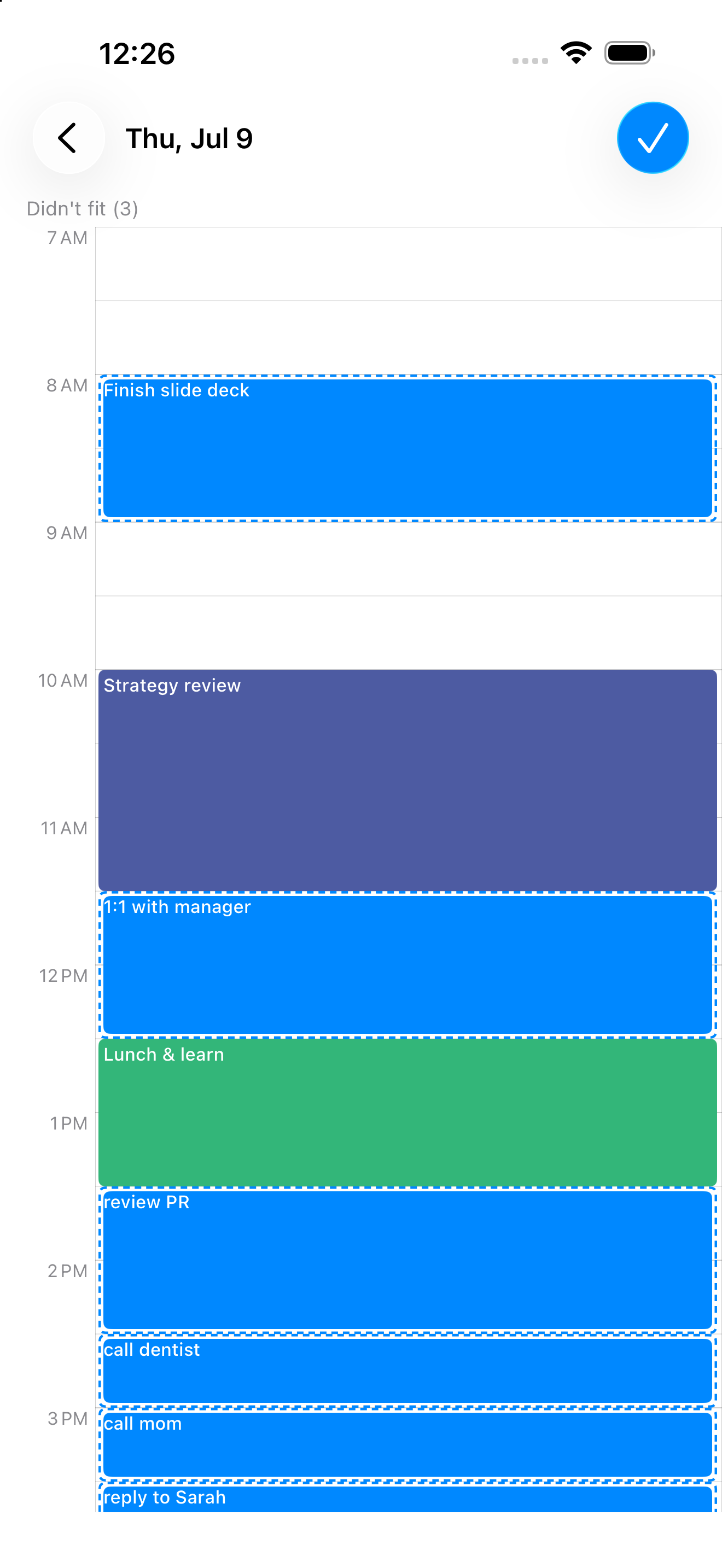
Type your to-dos in plain words — no times or categories needed — and the AI Daily Planner arranges them into realistic time blocks around the events already on your calendar. Review the result, drag anything that needs adjusting, then save your whole day at once.
What is time blocking and how does the app do it?
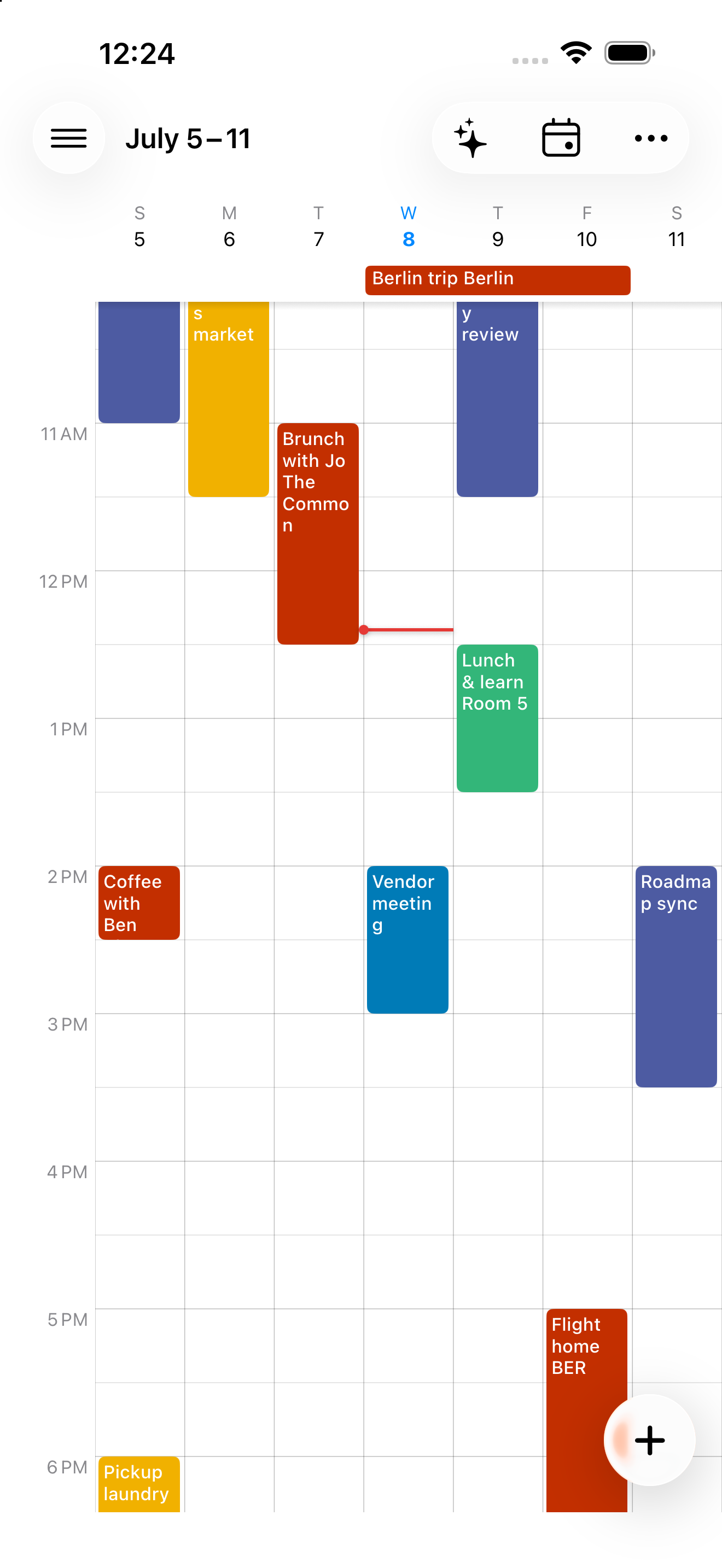
Time blocking means giving every task its own slot on your calendar instead of a loose to-do list. Calendar+ 2's time-blocking view lays tasks and events side by side across the day or week, so you can see exactly when each one happens and drag to reschedule.
Can I brain-dump my tasks and turn them into a schedule?
Yes — the AI Assistant lets you type or dump every task for the day in one go. Tap Plan and the AI Daily Planner turns that list into a time-blocked schedule fit around your existing events, ready to review and save.
Does it sync with Google Calendar and Apple iCloud?
Calendar+ 2 reads and writes to whichever calendar accounts are already set up on your phone — Google Calendar, iCloud, Outlook, Exchange, and more. There's no separate sign-in or import step; changes sync back through each account's own service.
Is Calendar+ 2 good for time-blindness or staying focused?
Many users with ADHD and time-blindness use Calendar+ 2's time blocking and AI Daily Planner to turn an overwhelming to-do list into a visual, time-anchored schedule, making it easier to see how long tasks actually take and when to start them.
What home-screen widgets are included?
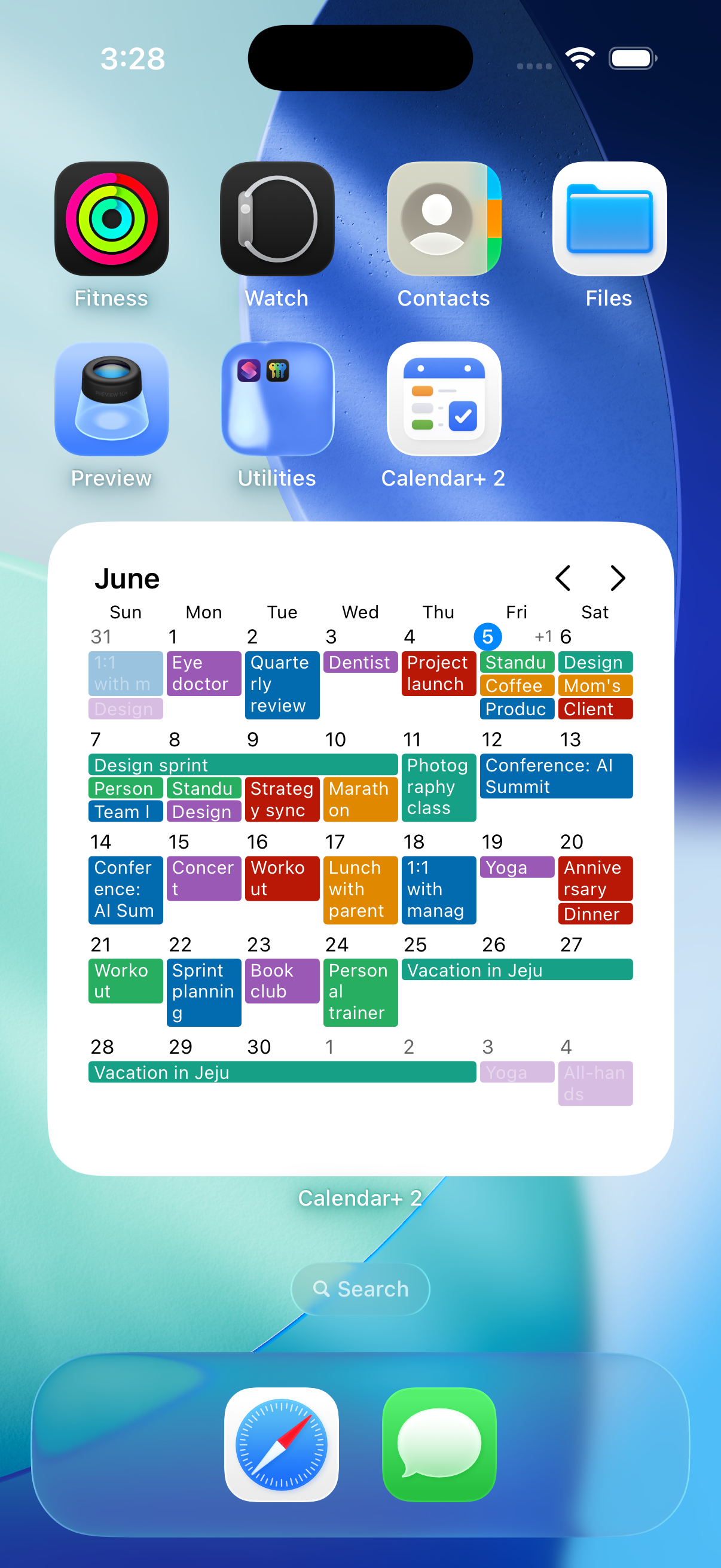
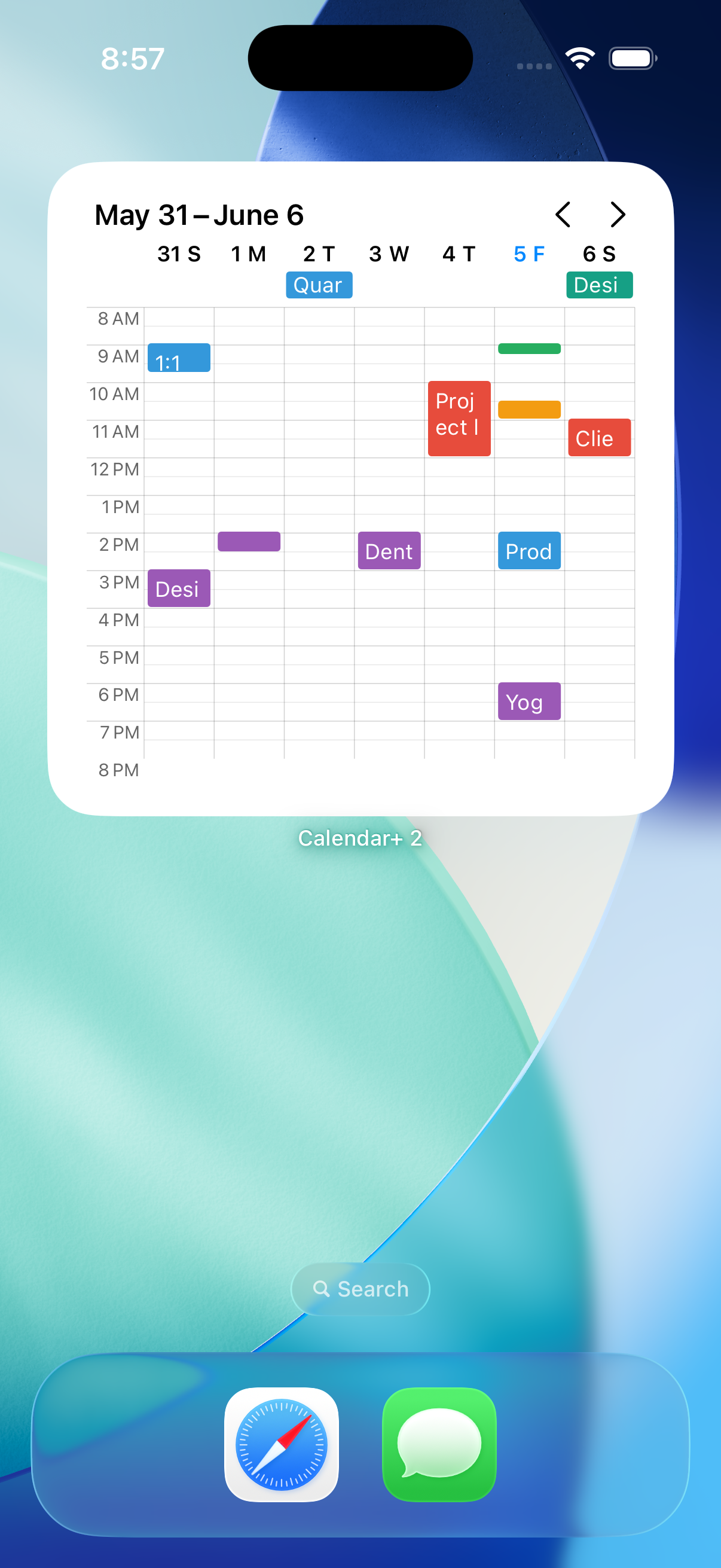
Calendar+ 2 includes four home-screen widget families: a month grid, a scrolling week timeline, an agenda list, and custom multi-week widgets (1 to 4 weeks). Every widget is customizable with skins, font sizes, dark mode, and per-event colors, so you can see your schedule at a glance on your iPhone or Android home screen.
Is there a free version? What does the subscription include?
Yes — you can use Calendar+ 2 for free, including the calendar and core planning tools. A subscription unlocks the full experience, such as AI planning and the complete widget suite. Any free trial, the exact price, and the billing period are always shown before you subscribe, and you can manage or cancel anytime in your App Store or Google Play account.
Does it work on both iPhone and Android?
Yes — Calendar+ 2 is a native app on both iOS and Android, with the same AI Daily Planner, time blocking, and calendar sync on either platform, in 28+ languages.
How is it different from the default calendar app?
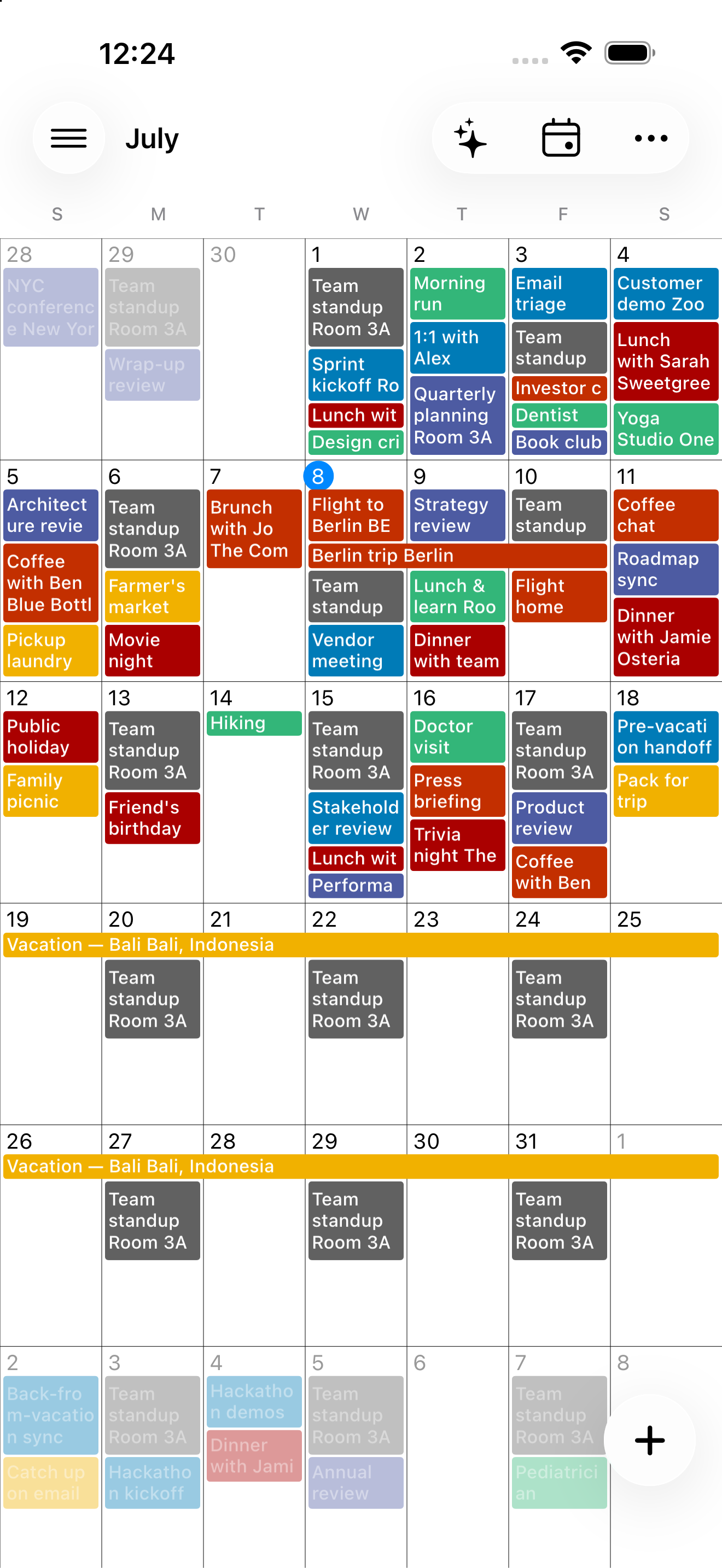
Beyond a basic grid, Calendar+ 2 adds an AI Daily Planner that time-blocks your brain-dumped tasks, 13 view modes including custom multi-day and multi-week layouts, home-screen widgets, and per-event color and priority controls your phone's built-in calendar doesn't offer.
What calendar views does it have?
Calendar+ 2 offers 13 view modes — Day, Week, Month, and Agenda — plus custom layouts of 2-7 days or 2-4 weeks, so you can pick the timeframe that matches how you plan.